Introduction
Are you tired of sitting all day at your desk? An adjustable standing desk might be just what you need! These desks allow you to switch between sitting and standing positions, helping you stay active and comfortable throughout your workday. But with so many options available, how do you choose the right one?
Benefits of Adjustable Standing Desks
Improved Posture
One of the biggest advantages of adjustable standing desks is that they can significantly improve your posture. When you stand, you naturally align your spine and shoulders, reducing the risk of slouching and back pain.
Increased Productivity
Believe it or not, standing desks can boost your productivity. Standing encourages more movement, which increases blood flow and energy levels, helping you stay focused and alert.
Health Benefits
Standing desks are also associated with various health benefits, such as reduced risk of heart disease, lower blood sugar levels, and decreased risk of weight gain and obesity. Standing more often can also alleviate some of the discomfort and pain caused by prolonged sitting.
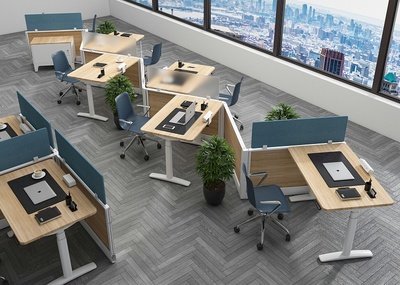
Types of Adjustable Standing Desks
Manual Adjustable Desks
Manual adjustable desks are operated by hand cranks or levers. They are typically more affordable and don’t require power, but adjusting the height can be more time-consuming and less convenient.
Electric Adjustable Desks
Electric adjustable desks use motors to raise and lower the desk surface at the push of a button. They are more convenient and often have programmable settings, but they tend to be more expensive and require a power source.
Converter Kits
Converter kits are placed on top of your existing desk and can be adjusted to raise your work surface to a standing height. They are a cost-effective option if you don’t want to replace your current desk but want the benefits of standing.
Features to Look for in an Adjustable Standing Desk
Height Range
Make sure the desk you choose can accommodate your height, both when sitting and standing. A good height range will ensure that you can work comfortably in both positions.
Stability
A stable desk is crucial, especially if you use multiple monitors or heavy equipment. Look for desks with sturdy frames and quality construction to prevent wobbling.
Ease of Adjustment
The easier it is to adjust the desk, the more likely you are to use it properly. Electric desks are typically the easiest to adjust, while manual desks and converter kits may require more effort.
Surface Area
Consider how much space you need for your work. If you use multiple monitors, a larger desk surface will be necessary. Make sure the desk can accommodate all your equipment without feeling cramped.
How to Choose the Right Adjustable Standing Desk for You
Assessing Your Needs
Think about how you work and what you need from a desk. Do you need a large surface area for multiple monitors? Are you looking for a desk that’s easy to adjust frequently? Your answers will help narrow down your options.
Considering Your Workspace
Measure your workspace to ensure the desk you choose will fit comfortably. Consider the desk’s footprint and make sure there’s enough room to move around.
Budget Considerations
Adjustable standing desks can vary widely in price. Set a budget before you start shopping and stick to it. Remember, a higher price doesn’t always mean better quality.
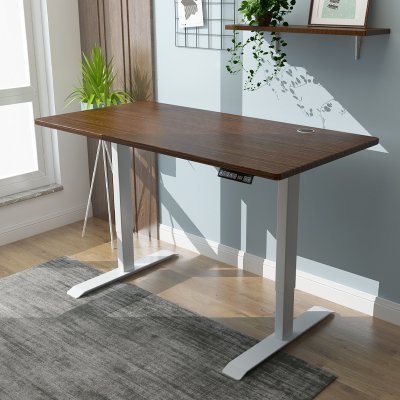
Setting Up Your Adjustable Standing Desk
Ideal Height Settings
When setting up your desk, make sure your monitor is at eye level and your keyboard is at a comfortable height for typing. Your elbows should be at a 90-degree angle when using the keyboard.
Cable Management
Good cable management is essential for a tidy and safe workspace. Use cable clips or ties to keep cords organized and out of the way.
Ergonomic Accessories
Consider adding ergonomic accessories like a standing mat, monitor arms, and an ergonomic chair. These can enhance your comfort and make your standing desk experience even better.
Tips for Using an Adjustable Standing Desk
Balancing Standing and Sitting
It’s important to find a balance between standing and sitting. Aim to switch positions every 30 minutes to an hour to avoid fatigue and discomfort.
Taking Breaks
Don’t forget to take regular breaks. Short breaks to stretch or walk around can help prevent stiffness and keep you energized.
Maintaining Good Posture
Whether you’re sitting or standing, maintaining good posture is crucial. Keep your back straight, shoulders relaxed, and feet flat on the floor.
Common Mistakes to Avoid
Incorrect Height Settings
Setting your desk at the wrong height can cause discomfort and strain. Make sure your desk is properly adjusted to your height.
Prolonged Standing
Standing for too long can be just as harmful as sitting all day. Make sure to alternate between sitting and standing to avoid fatigue.
Ignoring Ergonomics
Ignoring ergonomic principles can lead to pain and injury. Make sure your desk and accessories are set up to support your body properly.
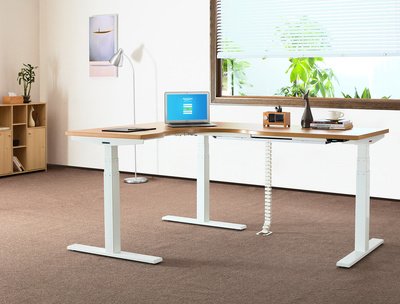
Maintenance and Care
Cleaning Tips
Regularly clean your desk to keep it looking new. Use a soft cloth and mild cleaner to avoid damaging the surface.
Lubrication and Adjustments
If you have a manual adjustable desk, occasionally lubricate the moving parts to ensure smooth operation. Check all bolts and screws periodically to make sure they’re tight.
Checking for Wear and Tear
Regularly inspect your desk for signs of wear and tear. Address any issues promptly to prevent further damage.
Customer Reviews and Testimonials
Real User Experiences
Many users report increased comfort and productivity after switching to an adjustable standing desk. Positive reviews often highlight the desks’ ease of use and health benefits.
Pros and Cons
Common pros include improved posture and energy levels, while cons may include the initial cost and the need for adjustment time.
Frequently Asked Questions
How Long Should I Stand at My Adjustable Desk?
Aim to stand for about 15-30 minutes every hour. Gradually increase your standing time as your body adapts.
Are Adjustable Standing Desks Good for Back Pain?
Yes, they can help alleviate back pain by promoting better posture and reducing pressure on your spine.
Can I Use an Adjustable Standing Desk with Dual Monitors?
Absolutely! Just make sure the desk you choose has enough surface area and stability to support your monitors.
Conclusion
Adjustable standing desks offer numerous benefits, from improved posture to increased productivity. By understanding the different types and features, you can choose the perfect desk for your needs. Remember to balance standing and sitting, maintain good posture, and enjoy the health benefits of your new desk.

 English
 العربية
 Français
 Русский
 Español
 Português
 Deutsch
 italiano
 日本語
日本語 한국어
한국어 Nederlands
 Tiếng Việt
 ไทย
ไทย Polski
 Türkçe
 አማርኛ
አማርኛ Bahasa Melayu
 தமிழ்
தமிழ் Filipino
 Bahasa Indonesia
 magyar
 Română
 Монгол
 қазақ
қазақ Српски
 हिन्दी
 فارسی
فارسی Kiswahili
 Slovenčina
 Slovenščina
 Svenska
 українська
 Ελληνικά
 Suomi
Suomi Հայերեն
 עברית
עברית اردو
اردو Shqip
Shqip বাংলা
বাংলা Hrvatski
 Afrikaans
 Māori
Māori සිංහල
සිංහල Oʻzbekcha
 latviešu
 Беларуская мова
 Bosanski
 Български
 ქართული
 Lietuvių
 Malti
Malti


